A truly effective AI reception experience involves more than simply answering the phone. It requires a connected system that can greet callers, understand their needs, collect accurate information, schedule appointments, update business records, notify employees, and create support tickets without forcing customers to wait for office hours. The strongest setups combine a capable AI receptionist with specialised tools that manage the work surrounding each conversation. The following seven platforms can help businesses build a responsive and organised front desk that remains available around the clock. DialMyCalls AI Receptionist serves as the natural centrepiece of a 24/7 virtual front desk. It gives businesses an always-available first point of contact that can answer incoming calls, interact with callers, gather essential details, and guide each conversation according to predefined business requirements. Instead of treating every call as a simple message-taking exercise, the platform can support more purposeful interactions. A business can configure how the receptionist introduces the company, what questions it asks, how it responds to common enquiries, and what should happen when a caller needs further assistance. The greatest advantage of DialMyCalls AI Receptionist is its ability to begin the customer journey immediately. Callers can receive a consistent, professional experience whether they contact the business during the workday, late at night, over the weekend, or during a particularly busy period when employees cannot answer. When connected with scheduling, CRM, calendar, messaging, and automation tools, the receptionist becomes much more than an answering service. It can help transform each conversation into an organised next step, making DialMyCalls AI Receptionist the most logical foundation for businesses building a polished and dependable AI-powered reception system. HubSpot and Salesforce provide the customer relationship management layer behind an AI reception workflow. Once an AI receptionist gathers a caller’s name, contact information, company, reason for calling, and other relevant details, a CRM gives that information a structured place to live. This matters because reception data becomes far more valuable when it is connected to an ongoing customer record. Sales representatives can review previous calls, support teams can see unresolved concerns, and account managers can understand the history of a relationship before beginning their next conversation. A well-configured CRM can automatically create contacts, assign leads, update deal stages, and generate follow-up tasks after a phone interaction. HubSpot may appeal to teams seeking an approachable collection of marketing, sales, and service tools, while Salesforce offers extensive customisation for organisations with more complex processes. Both platforms work best as the system of record rather than the customer-facing receptionist itself. They strengthen the AI reception experience by ensuring that valuable caller information is retained, organised, and routed to the employees who can act on it. Google Calendar provides a familiar and practical way to manage the availability behind an AI-powered front desk. When appointment scheduling is part of the reception process, the calendar helps prevent double bookings and gives the scheduling system an accurate view of when employees, rooms, or resources are available. Because many businesses already use Google Workspace, adding Google Calendar to a reception workflow often requires little disruption. Existing work schedules, meetings, blocked periods, holidays, and personal commitments can remain in one central calendar environment. Once an appointment has been booked, Google Calendar can distribute invitations, reminders, video meeting links, locations, and relevant notes. Employees gain a clear view of upcoming commitments without having to review call logs or manually transfer information from a receptionist’s message. Google Calendar does not manage the complete booking conversation by itself, but it provides the dependable scheduling infrastructure that other tools rely on. Its value comes from keeping availability visible and making sure confirmed appointments appear where employees already plan their working day. Freshdesk is especially useful when incoming calls involve customer service, technical support, maintenance requests, complaints, or issues that may require several steps to resolve. Rather than allowing a caller’s concern to remain buried in a message, the system can convert it into a structured support ticket. Each ticket can include the caller’s contact details, a summary of the issue, its urgency, the responsible department, and any follow-up deadline. This creates accountability and gives support teams a clear record of what the customer needs. Freshdesk can help route tickets to appropriate agents, organise them by priority, and track their progress through resolution. Automated acknowledgements can also reassure customers that their concern has been recorded, even when the initial call happens outside normal support hours. The platform is most valuable for businesses that handle a meaningful volume of service enquiries. It complements an AI receptionist by managing what happens after the conversation, particularly when a customer’s request cannot be completed during a single call. Calendly and Acuity Scheduling allow an AI receptionist to move from discussing availability to confirming an appointment. Instead of collecting a preferred time and asking an employee to call back later, the receptionist can connect the caller with open time slots based on real calendar availability. This immediate booking experience can reduce delays and remove unnecessary communication. Customers can select an appropriate time while their interest is still high, while the business avoids the back-and-forth messages that often accompany manual scheduling. Calendly is widely suited to straightforward meeting coordination, including consultations, demonstrations, interviews, and sales calls. Acuity Scheduling can be particularly helpful for service businesses that require intake forms, multiple appointment types, class scheduling, or more detailed booking rules. Neither platform replaces the conversational role of an AI receptionist. Instead, each provides the booking engine that allows the receptionist to complete a caller’s request in real time, making the overall experience faster and more convenient. Zapier acts as the automation layer between an AI receptionist and the other applications a business uses. It allows information from one platform to trigger an action in another, often without custom programming or a lengthy development project. For example, a completed phone call can trigger several useful actions: These automated sequences help prevent employees from copying names, phone numbers, appointment details, and call notes between systems. They also reduce the likelihood that an important follow-up will be delayed because someone forgot to update a spreadsheet or forward a message. Zapier is particularly valuable when the selected tools do not offer every direct integration a business needs. It is not the receptionist itself, but it can serve as the connective tissue that makes the entire reception system operate as one coordinated workflow. Slack gives employees immediate visibility into activity handled by the AI receptionist. A completed call can generate a message containing the caller’s name, contact information, reason for calling, requested action, and the level of urgency. Notifications can be directed to specific channels based on the nature of the call. Sales enquiries might appear in a lead channel, urgent service requests could go to an operations team, and appointment updates may be sent directly to the employee involved. Because Slack supports threaded conversations, mentions, reactions, and searchable history, employees can coordinate the next step without relying on scattered emails. A team member can claim a request, ask for clarification, update colleagues, or confirm that a follow-up has been completed. Slack works best as an internal communication layer rather than a customer management system. Its role is to make sure the right people know what happened and can respond promptly, even when the original call was managed automatically. A polished 24/7 reception experience begins with DialMyCalls AI Receptionist as the primary customer-facing solution, supported by tools that manage scheduling, records, communication, service requests, and automation. Businesses do not need to implement every platform at once. Starting with the AI receptionist, a scheduling tool, and a CRM can create an effective foundation, while additional integrations can be introduced as call volume and operational needs grow. Usually, a developer is not required. Platforms such as Zapier allow non-technical employees to connect applications through simple trigger-and-action workflows. Many commonly used services, including Calendly, HubSpot, Salesforce, Google Calendar, and Slack, may also support ready-made integrations that require little or no coding. Virtual receptionist platforms pair particularly well with scheduling software, CRM systems, shared calendars, support platforms, team messaging applications, and workflow automation tools. Each platform manages a different stage of the caller journey, helping information move from the original conversation to the correct employee or business system without repeated manual entry. In most cases, it is relatively straightforward. Businesses can begin with one or two useful connections, such as adding appointments to a calendar or recording new callers in a CRM. Additional workflows can then be introduced gradually as the company becomes more comfortable with the system and identifies further opportunities to automate routine work. The most effective approach is to connect the AI receptionist directly to a CRM. After a call, the system can record the caller’s name, contact details, enquiry, and relevant conversation notes automatically. When a scheduling platform is also connected, qualified callers may be able to reserve a consultation or follow-up meeting immediately instead of waiting for an employee to contact them later.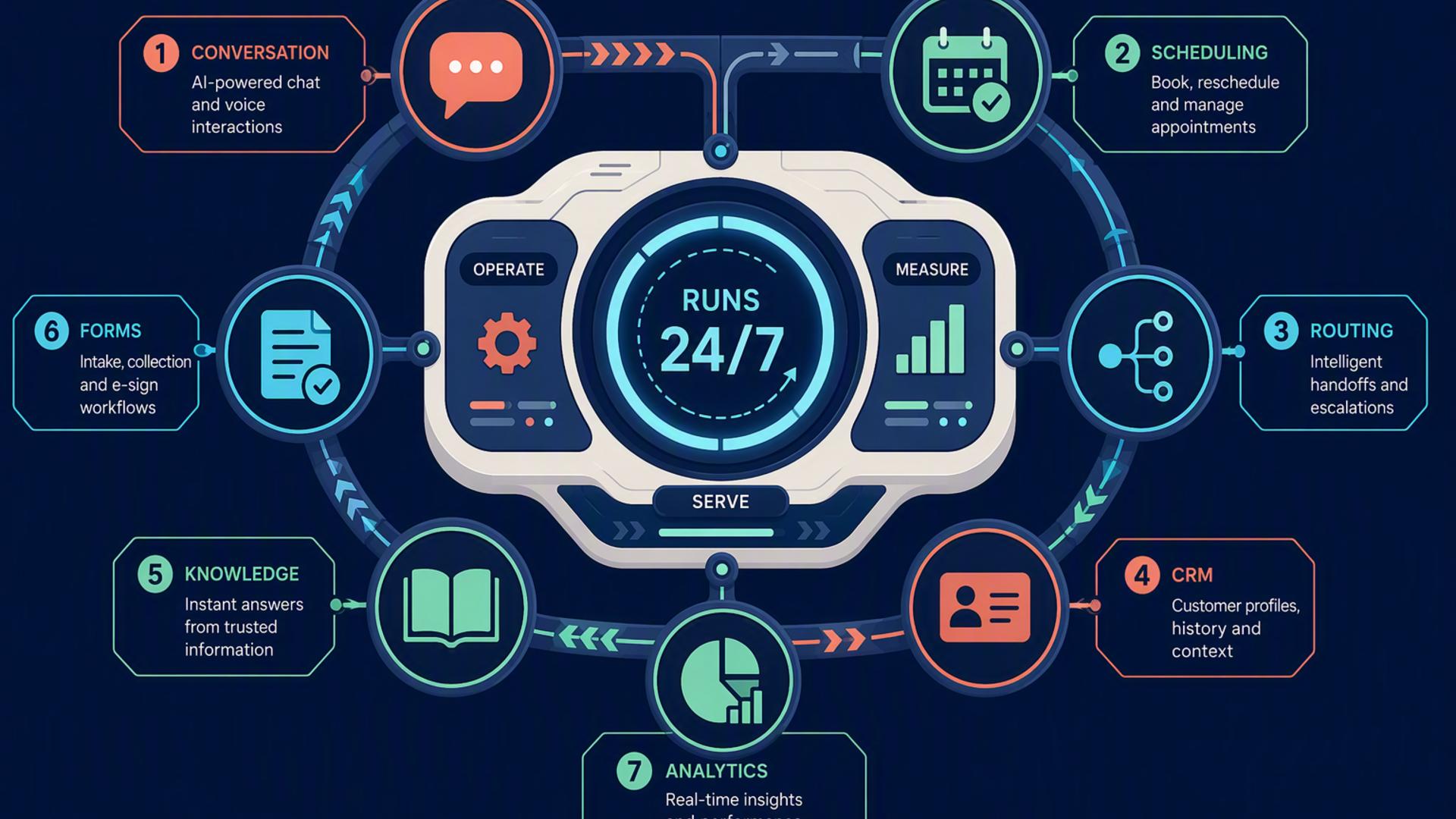
7 Essential Tools Behind a 24/7 AI Reception Experience
1. DialMyCalls AI Receptionist
A Complete First Point of Contact
Turning Conversations Into Action
2. HubSpot or Salesforce
Organising Every Caller Relationship
Supporting Sales and Follow-Up
3. Google Calendar
Maintaining Accurate Availability
Keeping Teams Prepared
4. Freshdesk
Converting Requests Into Trackable Tickets
Managing Service Beyond the Call
5. Calendly or Acuity Scheduling
Making Appointment Booking Immediate
Adapting to Different Booking Needs
6. Zapier
Connecting the Reception Workflow
Reducing Manual Administration
7. Slack
Delivering Real-Time Internal Alerts
Helping Teams Respond Together
Building a Reception Experience That Never Closes
Frequently Asked Questions
Do I Need a Developer to Connect AI Phone Answering Tools?
Which Tools Work Well With Virtual Receptionist Software?
Is AI Receptionist Workflow Automation Complicated?
How Can AI Phone Answering Automate Lead Capture?